Axle Digital Tools — For Claude Code · Mac & Windows

Axle
SnapShot

Work faster with Claude Code. Snap anything across any window or monitor, mark it up, and it's one click to Claude — ready to paste. Stop typing paragraphs to explain a bug, a layout, an error. Jump between screens, show what you mean, and get the task done — in seconds, not minutes. Or just hold a key and talk — your words land in Claude, hands-free.

Download for Mac Download for Windows

$3.99 USD / month  ·  Mac & Windows  ·  Cancel anytime

Try It Free for 7 Days

Download, use every feature, and get any snap into Claude in one click — free for 7 days. Cancel anytime before it converts. No video needed — just try it.

Start Your Free Trial →
"Capture Reality. Annotate. Share Instantly."
Get Work Done Faster

SnapShot collapses the time between “I need to show this” and “it's handled.” Less clicking, less explaining, less switching between screens — more finished tasks, every day.

Move Between Screens, Fast
Capture any window or monitor without losing your place — flip across apps, dashboards, and tabs and grab exactly what you need in one keystroke. No alt-tabbing, no re-finding it later.
Show, Don't Type
A marked-up picture replaces a paragraph. Your AI gets the full context instantly and answers right the first time — fewer follow-ups, fewer dead ends.
Finish Tasks in Seconds
Capture → annotate → Claude in one smooth flow. Fewer clicks, fewer re-explanations, far less time per task — so you ship more in a day.
One Tool for Everything
Bugs, designs, docs, dashboards, tickets, errors — capture and route them all the same fast way, across Mac and Windows, all day long.
Outcome: More Done, Less Friction
Built to Work With AI

Stop typing long explanations to your AI. Hit one hotkey, snap it, mark it up, and it's in Claude in seconds — even pull the text straight out with OCR. Built for the way you actually work.

Works With Claude Code
One click copies your snap and opens Claude — the desktop app if you have it, the web if you don't. Just paste (⌘V). Snap an error, a UI, a diagram and make every AI conversation faster and clearer.
Talk to Claude — Hands-Free
Hold one key and just talk — your words transcribe on-device and paste right where your cursor is. It even mutes your audio while you speak, so you never pause your music or a video to talk to Claude. Private, offline, and free — nothing leaves your machine. Mac now; Windows next.
Send to Claude Code (CLI)
Paste a snap straight into your terminal. SnapShot drops the image's file path on your clipboard — or copies it on every capture — so Claude Code reads the image right off disk. Optional one-click auto-paste into iTerm, Terminal & more.
AI Notes & Summarize
A notes panel right beside your snap — jot or dictate a write-up, then let AI summarize it into a tight, prompt-ready blurb. Connect your own Claude key in one click — your key, your billing, stored in your device's keychain. Paste the image and the context together in one shot.
Global Hotkey
One keystroke from anywhere starts a capture — no clicking around, no app-switching. The fastest path from "I need to show this" to a snap on your clipboard.
Extract Text (OCR)
Snap an error, a stack trace, a terminal log — and pull the real text out with one click. Paste actual text into Claude, not a picture: fewer tokens, cleaner reads, better answers.
Region Capture
Drag to select exactly what you need. Orange live border shows your selection.
Window Capture
Hover over any window — it highlights. Click to capture that window cleanly.
Annotate Anything
Arrows, boxes, highlights, callouts, free-hand pen, text — plus numbered steps to walk Claude through 1 → 2 → 3. Mark up exactly what you mean before you send it.
Redact & Blur
Blur out API keys, tokens, passwords, and personal info before it ever reaches an AI. Show the bug without leaking your secrets.
Instant Clipboard
Every capture copies to clipboard automatically. Paste straight into Slack, email, or tickets.
Snap History
All your captures in one tray and catalog. Browse, annotate, re-share — nothing gets lost.
Auto-Save
Every shot saves to a folder you choose. History loads back automatically on every launch.
Outcome: Faster Documentation
New & Coming Soon

What just landed — and what's next for Axle SnapShot.

New
Hold-to-Talk Voice
Hold a key, talk, release — on-device Whisper transcription pastes straight into whatever you're working in, and your audio mutes while you speak. Private and offline. Live on Mac; Windows next.
Soon
Windows Feature Parity
Send to Claude Code, AI Notes & Summarize, multi-account API keys, the Claude Connector, and in-app feedback are all on Windows now — same features, both platforms, one subscription. Hold-to-talk voice is live on Mac and comes to Windows next.
New
In-App Feedback & Issues
Send feedback, change requests, problems, and incidents straight from the app — synced to your Axle account so nothing gets lost. Live on Mac & Windows.
New
Claude Connector
SnapShot as a native Claude connector — ask Claude to capture your screen, read your latest snap, or browse your history, right inside Claude. No copy-paste. One-click setup, on Mac & Windows.
New
Cloud Sync — Connect Your Cloud
Connect your own Google Drive or OneDrive and every snap quietly syncs to your cloud in the background. Captures stay instant and local; SnapShot can only see the files it creates — and your screenshot folder stops bogging down iCloud. Rolling out on Mac (beta); Windows next.
Simple Pricing

Every plan starts with a 7-day free trial — cancel anytime before it converts. One rate for members, one for everyone else.

Axle Member Rate
$3.99 USD / month
For active Axle members assigned to a workforce. Verified automatically at login.
  • All capture & annotation tools
  • Send to Claude + OCR text extraction
  • Hold-to-talk voice dictation (Mac; Windows soon)
  • Snap history & catalog
  • Auto-save & auto-update
  • Login with Axle account
Start 7-Day Free Trial →
7 days free, then $3.99 / mo · cancel anytime
Public Rate
$5.99 USD / month
For anyone — no Axle membership required. Full access, cancel anytime.
  • All capture & annotation tools
  • Send to Claude + OCR text extraction
  • Hold-to-talk voice dictation (Mac; Windows soon)
  • Snap history & catalog
  • Auto-save & auto-update
  • Email login — no account needed
Start 7-Day Free Trial →
7 days free, then $5.99 / mo · cancel anytime
Mac — Available Now Windows — Available Now
Quick Start

Up and running in under 2 minutes.

1
Subscribe & Download
Subscribe above, then download for Mac or Windows. Mac: open the DMG and drag Axle SnapShot to Applications. Windows: run the Setup .exe.
2
First Launch
Mac: right-click the app → Open, then grant Screen Recording when prompted. Windows: if SmartScreen appears, click More info → Run anyway.
3
Sign In
Log in with your Axle account email and password. Your subscription is verified and the app unlocks.
4
Start Capturing
Open your menu-bar (Mac) or system-tray (Windows) icon → Capture Region — drag a box, release. It copies to your clipboard instantly and the editor opens to annotate, send to Claude, and share.
Outcome: Zero Learning Curve
Keyboard Shortcuts & How to Use

Mac has one-press hotkeys. Windows captures from the system-tray menu — here's both.

⌘PCapture region
⌘⇧WCapture window
⌘⇧5Capture fullscreen
Hold ⌥Talk to dictate
⌘ZUndo annotation
⌘⇧ZRedo annotation
⌘SSave PNG
⌘EOpen editor
⌘HSnap history
⌘,Preferences
EscCancel capture
On Mac
Click the menu-bar icon (top-right) or press ⌘P. Capture, annotate, hit Send to Claude → it opens Claude, then paste.
On Windows
Right-click the system-tray icon (bottom-right) → Capture Region or Snap to Claude. Same editor, same one-click-to-Claude.
FAQ

Everything you need to know before you start.

How is this different from CleanShot or Snagit?
SnapShot is built for the AI era — one click copies your snap and opens Claude, plus OCR to pull text straight out of a capture. And rather than a big one-time price for a tool that stops improving the day you buy it, it's just $3.99/month — easy to start, cancel anytime, and always getting better.
Does it work on both Mac and Windows?
Yes — native apps for both, same login, same features, one subscription covers you on either.
What is "Send to Claude"?
One click copies your annotated screenshot to the clipboard and opens Claude — you just paste (⌘V / Ctrl+V). The fastest way to show an AI exactly what you mean.
What's hands-free voice dictation?
Hold a key and just talk — SnapShot transcribes your speech on your device (private, offline, and free) and pastes it right where your cursor is. It mutes your system audio while you speak, so you don't have to pause a video or your music to dictate. On Mac today; Windows is next.
Can I cancel anytime?
Yes. Monthly or annual, cancel anytime from the app — no contracts, no hassle.
Does it work offline?
Capturing, annotating, and saving all work offline. Voice dictation runs on-device too — after a one-time model download, transcription works offline. Your subscription is verified online occasionally to keep access active.
Scan to open

See it on your phone

Point your camera at the code — it opens axlesnapshot.com instantly. Handy for showing SnapShot off in person.
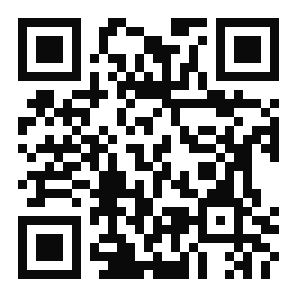
Scan to open axlesnapshot.com